BMW iDrive Updates for 2026: What’s New and Smarter?
BMW iDrive Updates for 2026: What’s New and Smarter?
Posted on April 12, 2026
Navigating BMW’s iDrive system can be overwhelming with its many versions, operating systems, and updates. The 2026 BMW iDrive introduces new features designed to refine the driving experience, improve usability, and offer smarter connectivity.
Whether you’re a long-time BMW driver or considering an upgrade, this overview will help you understand what’s new, how it compares to older versions, and how these updates enhance your driving experience.
You’ll also learn how to check which version of iDrive your car has, what’s coming next in the BMW iDrive ecosystem, and how a local dealer can assist with upgrades and any questions.
Quick Summary: What Actually Changed for iDrive in 2026?
The 2026 BMW iDrive system comes with several improvements designed to enhance your driving experience. Here’s a brief overview of the key updates:
- Interface/navigation changes: Improved display and faster navigation with better EV route optimization.
- Connected services and apps: More seamless app integration, with added entertainment options.
- Voice assistant improvements: More natural voice control, with advanced AI-based features expanding first on selected next-generation models and markets.
- Navigation and EV routing: More real-time updates, including optimized charging station routing for EVs.
- Over-the-Air (OTA) updates: More frequent and robust software updates delivered wirelessly.
- New display concepts: Larger, customizable displays, especially in the latest models, offering a fresh approach to in-car tech.
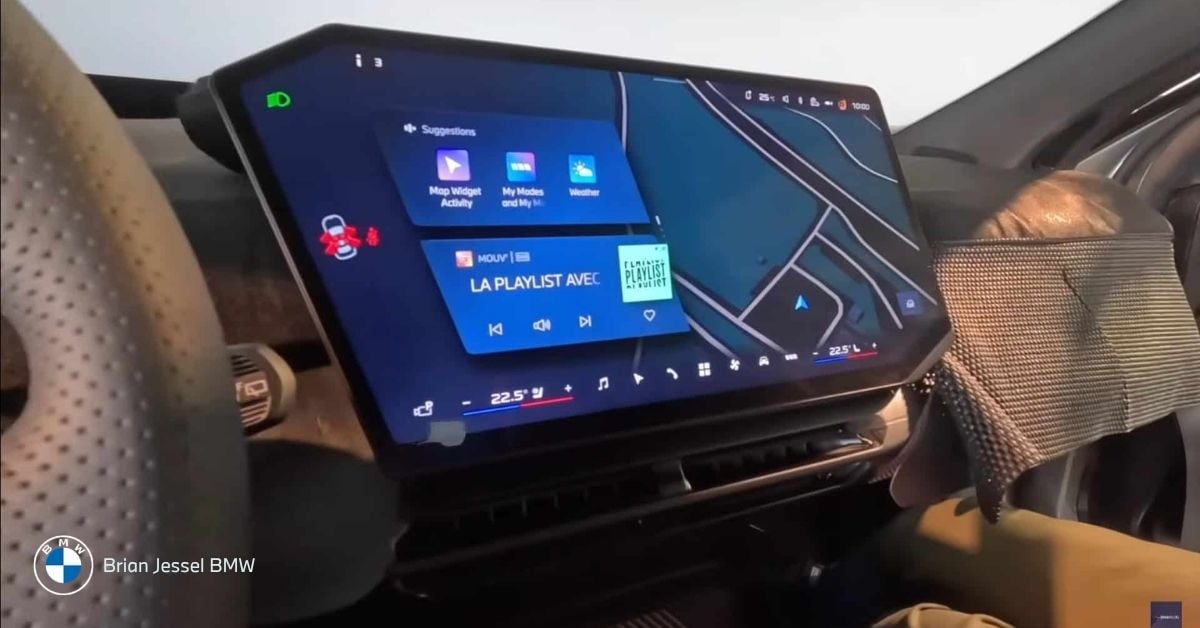
What Is BMW iDrive and Why It Matters
BMW iDrive is the central infotainment and vehicle control system that unifies essential functions like navigation, media, climate control, and vehicle settings. Introduced in 2001, iDrive has evolved into a fully integrated digital experience designed for driver-centric interaction.
Rather than relying on multiple physical controls, iDrive streamlines these functions under a single interface, making it easier for drivers to access and control various vehicle features.
Unlike standard infotainment systems, which primarily focus on media, BMW’s iDrive system allows drivers to control driver assistance systems, such as adaptive cruise control and lane-keeping settings. It offers advanced voice control, touchscreens, and a rotary dial, providing multiple ways to interact with the vehicle’s tech.
BMW iDrive Updates for 2026 – What’s New?
The 2026 BMW iDrive marks a significant evolution in the system’s development, bringing an enhanced user experience and more intuitive interactions. These updates are designed with a stronger focus on driver orientation and personalization.
Important: Not all 2026 BMW models use the same iDrive system. Depending on the model, production date, and hardware, vehicles may run BMW Operating System 8.5, 9, or the newer Operating System X introduced with BMW’s next-generation platform.
Here’s a breakdown of the key updates:
Home Screen & Menus
In 2026, BMW’s iDrive interface is powered by different underlying Operating Systems depending on the model. Newer vehicles introduce BMW Operating System X with the Panoramic iDrive concept, while many current models continue using Operating System 8.5 or 9. The goal is to reduce the number of taps required to access essential functions, while improving the overall speed and responsiveness of the system.
Compared to earlier versions of iDrive, where key functions were often buried in submenus, the updated layout reduces navigation depth. Frequently used features such as navigation, media, and climate controls are surfaced earlier, reducing the number of steps required while driving.
- Why it matters in daily driving: The updated interface is designed to be more intuitive, with improved access to core features and enhanced customization options, including adjustable color schemes and ambient lighting.
- Who benefits most: Drivers who value a customized, efficient experience will find the new UI features especially beneficial, as the home screen has been optimized to display the most relevant information at a glance.
- Limitations: Some personalization features may be limited to higher trims or specific regional configurations.
Navigation & Maps
The 2026 BMW iDrive integrates real-time map updates to ensure drivers always have the most current traffic and route information. Additionally, the navigation system has been enhanced to better accommodate electric vehicles (EVs) by considering charging station locations and battery range during route planning.
In previous iDrive versions, EV route planning often required manual selection of charging stops. The updated system integrates charging automatically into route planning, factoring in battery level, terrain, and real-time conditions.
- Why it matters in daily driving: Real-time updates help drivers avoid traffic, making their trips more efficient. For EV drivers, the new routing system alleviates range anxiety by ensuring that the next charging station is always in view.
- Who benefits most: EV drivers will benefit the most from optimized routing, while all drivers will enjoy more efficient daily trips thanks to better traffic management.
- Limitations: The effectiveness of EV routing depends on regional availability of charging infrastructure.
Smarter Voice Assistant & AI Integration
The BMW Intelligent Personal Assistant in 2026 is designed to better understand natural language commands, allowing drivers to speak more naturally when adjusting navigation, climate, or media settings.
- Why it matters in daily driving: This improved voice assistant allows drivers to control key functions such as navigation, media, and climate settings without taking their hands off the wheel, improving safety and convenience.
- Who benefits most: Drivers who prioritize hands-free operation and voice assistance will notice a significant improvement in the system’s ease of use.
- Limitations: The assistant’s capabilities may still be limited by language support in some regions.
Apps & Entertainment
The 2026 iDrive brings a wider selection of apps and entertainment options, including streaming and other digital content. However, to maintain driver safety, features like video streaming and interactive apps are restricted while the vehicle is in motion.
- Why it matters in daily driving: Passengers will enjoy the availability of entertainment options on longer drives, but the system ensures that driver safety is prioritized at all times by limiting app usage when the car is moving.
- Who benefits most: Passengers, particularly on long trips, will appreciate the expanded app offerings, while drivers benefit from the safety-focused limitations.
- Limitations: These entertainment features are not available in all regions or on all vehicle configurations, and some apps may only be accessible when the car is stationary.
Driver-Focused Display Changes
The introduction of Panoramic Vision in the 2026 BMW iDrive is a significant update. This system projects essential information, such as navigation prompts and driving assistance data, across the width of the windshield.
BMW’s Panoramic iDrive refers to a new display and operating concept built around four main elements: BMW Panoramic Vision, the Central Display, the new multifunction steering wheel, and the optional BMW 3D Head-Up Display.
- Why it matters in daily driving: By projecting key information directly into the driver’s line of sight, Panoramic Vision reduces the need to look away from the road, enhancing safety and convenience.
- Who benefits most: Drivers who prioritize safety and minimal distraction will find this feature especially beneficial.
- Limitations: Panoramic Vision and 3D Head-Up Display are optional and may not be available on all trims or in every region.
Over-the-Air (OTA) Updates & Software Improvements
With the 2026 iDrive, BMW continues to improve its over-the-air (OTA) capabilities, allowing vehicles to receive software updates remotely. This ensures that the system stays current with the latest features, security patches, and performance enhancements.
Earlier systems required dealership visits for many updates. In 2026, more updates can be delivered remotely, reducing downtime and allowing features and improvements to be added over time.
- Why it matters in daily driving: OTA updates provide drivers with up-to-date software without needing to visit a dealership, ensuring the car continues to improve throughout its lifespan.
- Who benefits most: All drivers benefit from the ability to receive the latest updates without interruption.
- Limitations: The availability of specific updates may depend on the model and region, and some hardware limitations may restrict certain updates.
*Typical update timing varies. Smaller updates may install in 10–20 minutes, while larger updates can take up to an hour and require the vehicle to remain parked.
Not all features can be updated remotely. Hardware-dependent functions, such as display systems or sensor-based driver assistance features, cannot be added through software alone.
Updates may download over cellular data or Wi-Fi, but installation typically requires sufficient battery charge and confirmation through the iDrive system or My BMW App.
Integration with BMW Operating System
BMW’s new Operating System X (OS X) is introduced on select next-generation models equipped with the Panoramic iDrive interface, with broader rollout expected over time rather than across all 2026 vehicles. OS X is fully developed in-house by BMW, based on the Android Open Source Project (AOSP), and integrates tightly with the car's hardware for a seamless user experience.
What changed from the previous version?
Compared to its predecessors, OS X offers a more intuitive and integrated experience, focusing on personalization and better coordination across displays, voice controls, and system inputs. The Panoramic iDrive introduces advanced displays like the panoramic windshield projection. OS X also supports continuous software updates, allowing the system to improve over time, adapting to user needs and technological advances.
Speed Improvements
While BMW doesn't publish specific speed figures like load times or performance metrics in their official materials, OS X is designed to optimize system responsiveness. The focus is on intuitive, near real-time reactions to driver inputs, such as voice commands and touch interactions. The system aims to feel fluid and natural, ensuring that the vehicle’s interface is fast enough to provide a seamless user experience.
Processing Hardware Changes
OS X runs on BMW's new digital architecture for the Neue Klasse, featuring multiple high-performance "superbrains" to support advanced processing for infotainment and driving assistance. While hardware details aren't fully disclosed, these advancements provide the backbone for OS X's performance, enabling it to manage the car’s complex, integrated systems effectively.
How the Operating System Affects Responsiveness
OS X improves integration between the car’s hardware and software, making the system faster and more responsive. When interacting with the vehicle’s interface, whether adjusting climate, changing navigation, or using voice commands, there's less delay, and the system reacts in real-time.
The new processing power in the Neue Klasse’s hardware allows the system to keep up with OS X’s demands, improving responsiveness, especially for navigation, media, or driver assistance features. The system provides relevant information when needed, making interactions feel quicker and more natural.
How 2026 iDrive Compares to Previous BMW iDrive Versions (iDrive 8.5 vs iDrive 9 vs Operating System X)
When comparing the BMW Operating System X, to previous versions like iDrive 9 and iDrive 8.5, several key improvements are immediately apparent. The transition from iDrive 8.5 & 9 to Operating System X marks a significant leap forward in processing speed, usability, and driver-centric functionality. Here’s a breakdown of the key differences:
Interface Evolution: From iDrive 8.5 to OS X
iDrive 8.5: Primarily used the rotary dial and touchscreen. Gesture control was available but not fully integrated.
iDrive 9: Improved touchscreen functionality, adding gesture control, but still retained physical controls.
2026 (Operating System X): Offers a more fluid integration of rotary dial, touchscreen, voice control, and gesture functionality. This hybrid approach minimizes distraction and enhances ease of use.
Processing Speed and Responsiveness
iDrive 8.5: Moderate responsiveness, with occasional delays when navigating or transitioning between menus.
iDrive 9: Faster than iDrive 8.5, but still experienced occasional lag, especially in complex tasks like navigating or accessing media.
2026 (Operating System X): BMW Operating System X offers significantly improved processing speed with smoother transitions and quicker access to functions. Navigation and map rendering are now more fluid, enhancing the user experience.
Smarter Voice Assistant: AI Integration
iDrive 8.5: Voice control available but less responsive, requiring specific phrasing.
iDrive 9: Improved voice control, but still had limitations in interpreting natural language commands.
2026 (Operating System X): Expands natural-language voice interaction, with the most advanced AI-based assistant features rolling out first on selected next-generation models and markets.
Gesture Control Updates
iDrive 8.5: Gesture control was available but not fully integrated into the driving experience.
iDrive 9: Gesture control expanded but still had limited functionality for certain tasks.
2026 (Operating System X): Gesture control remains available on select models, but BMW’s focus in newer systems has shifted more toward touchscreen interaction and improved voice control.
What Stayed the Same: Physical Controls and Core Functions
While iDrive 2026 offers significant improvements, BMW’s focus on driver-centric control remains unchanged:
Physical Controls: The rotary dial remains as part of the system, offering tactile feedback.
Driver-Centric Focus: iDrive still emphasizes minimal distractions, with voice controls and customizable menus designed to keep drivers focused on the road.
| Feature | iDrive 8.5 | iDrive 9 | 2026 BMW iDrive (OS X) |
| Interaction Model | Rotary Controller + Touchscreen + Voice | Touch-Focused Interface + Rotary Controller (on Select Models) + Voice | Panoramic Display System (Panoramic Vision + Central Display + Head-Up Display) Combined with Touchscreen, Steering Wheel Controls, and Voice Interaction |
| Processing Speed | Moderate Responsiveness | Faster than iDrive 8.5, some lag | Faster, Smoother Transitions and Access |
| Voice Assistant | Limited Natural Language Support | Improved, but still specific phrasing | AI-Powered, Smarter Voice Control |
| Gesture Control | Available but Limited | Expanded Gesture Control | Available on Select Models, with Reduced Emphasis Compared to Voice and Touchscreen Controls |
| User Interface | Static, Less Customizable | More Customizable | Highly Customizable, Faster, and More Fluid |
| Driver-Centric Focus | Retained Physical Controls | Focused on Physical Controls | Continues with Improved Physical and Digital Integration |
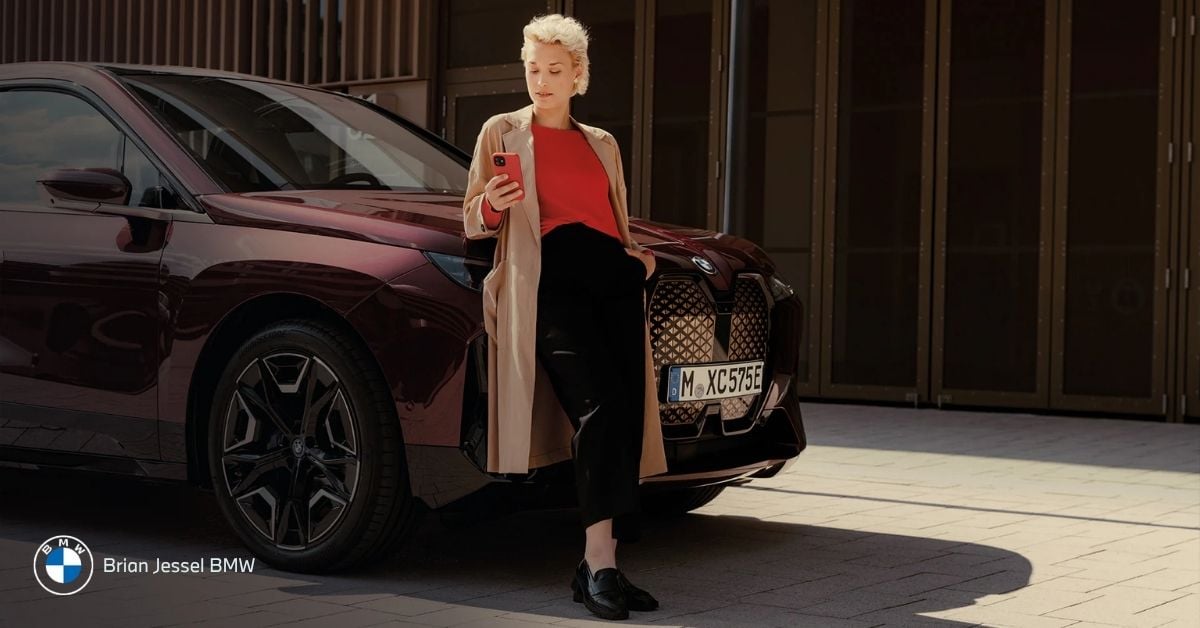
Remote Software Upgrades in 2026 – How Updates Actually Arrive (and What They Can Change)
BMW’s OTA updates allow your iDrive system to receive new features, bug fixes, and improvements without needing to visit a dealership. Here’s how the process works:
- Check for Updates: Through the iDrive settings or the My BMW App, you can easily check for available updates.
- Installation Process: Your BMW can download a Remote Software Upgrade over its built-in cellular connection, or you can download the update through the My BMW App and transfer it to the vehicle. Once downloaded, installation typically takes about 20 minutes and must be approved while the vehicle is parked.
- Release Notes: Updates come with release notes that detail what’s changed. This might include software enhancements, new features, or bug fixes.
- Troubleshooting: If an update does not install, check that the vehicle has sufficient battery charge, that the My BMW App is paired correctly if you are using the app-based method, and that the vehicle has an active data connection through its built-in system.
For any issues or hardware updates, Brian Jessel BMW is here to help, offering expert support for all your vehicle's tech needs.
Which 2026 BMW Models Get Which iDrive System?
It depends on the model, production date, and equipment.
For 2026, BMW's iDrive system availability varies across different models, depending on when the vehicle was produced and the specific hardware installed. Here's a quick breakdown:
- BMW Operating System 8 / 8.5: The current mainstream software in many 2024–2025 models.
- BMW Operating System 9: A newer system introduced on select models starting ~late 2023, focusing on touchscreen control and expanded digital services.
- BMW Operating System X (Panoramic iDrive): The next‑generation interface being rolled out on the Neue Klasse and all new models from the end of 2025 onward. This is positioned as the flagship infotainment experience.
Note: BMW officially states that these systems cannot be retrofitted or upgraded between operating systems since they depend on different hardware.
Model‑by‑Model Availability in 2026
Panoramic iDrive / BMW Operating System X: At the time of publishing, the BMW iX3 Neue Klasse has not yet been released, but it is expected to be the first model to launch with the Panoramic iDrive, powered by BMW Operating System X. All new BMW models introduced from late 2025 onward, across various segments, will come equipped with this next-generation system, featuring Panoramic Vision, enhanced display, and advanced interaction capabilities.
BMW Operating System 9: Official BMW model pages list OS 9 on vehicles such as the 1 Series (latest generation), marketed with BMW Operating System 9; the 2 Series Gran Coupé, shown with BMW Operating System 9; and the X3, where current model marketing highlights Operating System 9.
BMW Operating System 8 / 8.5: Some mainstream 2026 models, especially those that BMW has yet to update with the latest Gen X platform, are expected to continue running OS 8.5. These models will retain older hardware configurations, which may include familiar interface layouts and features, as the transition to newer systems takes place gradually across the lineup.
*There isn’t an official worldwide release date that covers all markets (e.g., Canada) as of early 2026 as local launches can vary by region and regulatory timing.
**In practical terms, most newly redesigned BMW models released from late 2025 onward are expected to adopt Operating System X, while existing model lines will continue with Operating System 8.5 or 9 until they receive a full redesign.
How to Check Which iDrive System Your BMW Has
To check which iDrive system is installed in your 2026 BMW, follow these steps:
- iDrive Settings: You can find information about your iDrive system directly in the settings of the infotainment system. Look under “System Information” for details about the operating system version.
- My BMW App: You can also check via the My BMW app. This app provides detailed information about your vehicle’s specifications and software versions.
Important Note: Keep in mind that the iDrive system available on your vehicle may vary by model year, production month, and market.
How the 2026 iDrive Enhances Daily Driving
BMW iDrive isn’t just a piece of tech; it’s integrated into your daily driving experience. Here’s how it improves real-world scenarios:
Urban Commuting in Vancouver: In city traffic, iDrive’s customizable menus and voice assistant make it easier to adjust navigation and climate without taking your hands off the wheel.
Winter Commuting: The system provides quick access to features like defrosting, climate controls, and heated seats, even when you’re wearing gloves.
Navigation in Dense Traffic: Real-time traffic updates ensure that iDrive can suggest alternate routes when there’s congestion on your typical route through downtown or across the bridges.
EV Charging Route Planning: For electric vehicle drivers, iDrive’s integration with charging stations and route optimization takes the stress out of planning longer trips.
Learn more: Best BMW for Daily Driving
iDrive and Electric BMW Models in 2026
For electric BMW models, such as the iX3, the iDrive system plays a crucial role in optimizing the EV charging experience. The system integrates charging station searches, helping drivers find nearby stations along their route. It also optimizes routes by factoring in available charging points, ensuring more efficient long-distance trips.
In addition to this, battery monitoring displays show real-time battery levels and charging time estimates, making it easier for drivers to plan their journeys. The system also includes energy flow visualization, allowing drivers to track energy consumption and regeneration in real-time.
For EV drivers, smarter software offers significant benefits by simplifying the driving and charging process, providing better route planning, and extending battery longevity, making electric driving more convenient and reliable.
Connectivity Features in 2026 iDrive
The 2026 BMW iDrive system offers seamless integration with Apple CarPlay and Android Auto, allowing you to wirelessly access smartphone apps directly through the iDrive interface.
It also supports BMW ConnectedDrive services, providing features like remote access, vehicle status monitoring, and customizable driver profiles. These features allow you to manage your car’s settings and monitor its performance remotely.
Additionally, cloud profile syncing ensures that your preferences are available across compatible BMW vehicles, offering a consistent and personalized experience. These connectivity enhancements make it easier to stay connected and personalize your driving experience in the 2026 iDrive system.
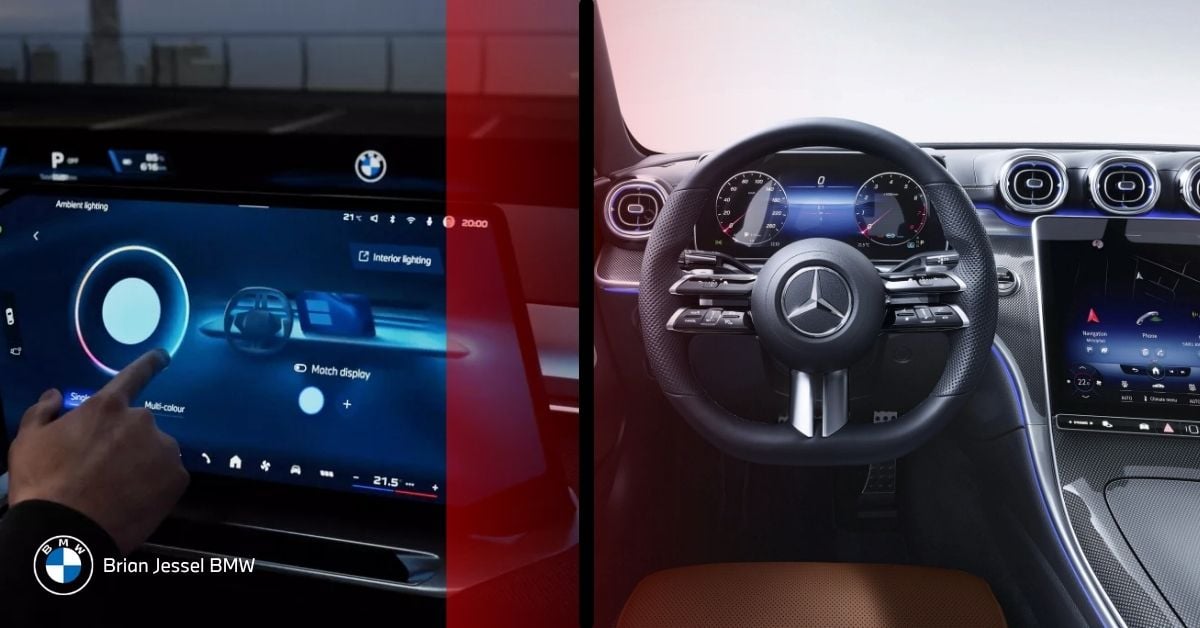
How BMW iDrive Compares to Other Luxury Systems
When compared to competitors like Tesla’s software-first design, Mercedes-Benz’s MBUX AI-driven interface, and Audi’s MMI, BMW iDrive stands out for its balanced approach to user interface design.
Tesla focuses on a minimalist touchscreen experience that controls nearly all vehicle functions, but it requires more attention to the screen, which can be distracting for drivers.
Mercedes-Benz MBUX emphasizes AI-driven personalization, offering a more intuitive, voice-assisted interface. However, it lacks the tactile controls that BMW iDrive integrates, which helps drivers maintain focus on the road.
Audi MMI delivers a sleek, modern interface, but it doesn’t offer the same depth of physical controls or driver-centric interaction that BMW iDrive excels in.
BMW iDrive’s strengths lie in its combination of physical controls and digital interaction, creating a driver-focused design that minimizes distractions and enhances usability. This approach ensures that critical functions are within easy reach, maintaining driver attention on the road while still offering modern tech features.
How Brian Jessel BMW Helps Drivers Experience the Latest iDrive
At Brian Jessel BMW, we offer in-person demonstrations of the latest iDrive systems, giving you a hands-on experience of the 2026 updates. Our team is ready to assist with test drives, help you set up the My BMW App, and explain all the new software features.
We also provide OTA update support, ensuring your vehicle stays up to date with the latest enhancements. If you need help with settings setup or have any technical questions, our service department is always available to offer expert guidance.
At Brian Jessel BMW, we’re not just here to sell you a car; we’re your tech guide to getting the most out of your BMW experience.
Is BMW iDrive Easy to Use, and Should You Upgrade?
BMW iDrive has become easier to use in recent versions, but the experience depends on which system your vehicle uses.
Earlier versions of iDrive required more menu navigation and familiarity with the rotary controller. Newer systems, especially Operating System 9 and Operating System X, reduce complexity through improved touchscreen layouts, faster menus, and more responsive voice control.
For most drivers, the learning curve is shorter than before because:
- Voice commands require less precise phrasing
- Key functions are easier to access from the home screen
- Menus are more logically grouped
Should you upgrade?
- If you are using iDrive 7 or earlier → upgrading brings noticeable improvements in speed, navigation, and usability
- If you are using iDrive 8 or 8.5 → improvements are more incremental, focused on interface refinement and connectivity
- If you want the latest display and interface concepts → newer models with Operating System X introduce the biggest change
For Vancouver drivers dealing with daily traffic, weather changes, and navigation demands, newer iDrive systems offer more convenience, especially through improved voice control and real-time navigation updates.
FAQs
How do I know which iDrive version I have?
Check the "System Information" in iDrive settings or use the My BMW App for details on your vehicle's iDrive version.
Will my BMW get iDrive updates automatically?
BMW offers Remote Software Upgrades that can download automatically through the vehicle’s built-in cellular connection or via the My BMW App. Installation requires driver confirmation while the vehicle is parked.
Do I need the My BMW App?
The My BMW App is helpful for checking updates, remote vehicle monitoring, and customizing settings, though it is not strictly necessary for driving.
Do updates add new features or only fix bugs?
Updates can add new features, fix bugs, improve performance, and enhance system security.
Why does my friend’s 2026 BMW look different from mine?
Your friend’s 2026 BMW may have the new iDrive system, while your model could be using an earlier iDrive version.
Explore Latest Models Here: 2025 BMW Cars, BMW Gas Vehicles, BMW M Series for Sale, BMW Luxury Line for Sale, BMW Convertible, 2025 BMW 5 Series 530i xDrive, 2024 BMW X3 M40i xDrive, BMW X Series Comparison, BMW 3 Series G50, 2026 BMW M2 xDrive G87, 2026 BMW X5 G65